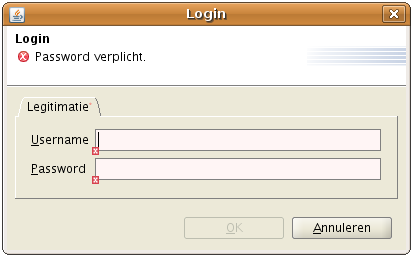
Integrating security into a GUI application can be cumbersome. The reason for this is:
Adding login and logout functionality can take a lot of work
Adjusting screens to handle with security limitations
Valkyrie integrates with Spring Security to provide a framework to handle security-based problems and offers a solution for these.
Simply integrating login functionality is easy: Valkyrie has a built in login command that shows a login screen. Enabling it is just a matter of calling it on startup through the session initializer.
@Override
public ApplicationSessionInitializer applicationSessionInitializer() {
    ApplicationSessionInitializer initializer = new ApplicationSessionInitializer();
    initializer.setPreStartupCommands(Lists.newArrayList("loginCommand"));
    return initializer;
}
The login command requires an authentication manager in the context. This is also one of the reasons why Valkyrie still uses an XML context: at the moment, it's still easier to configure some things in XML, such as the authentication manager.
<security:authentication-manager>
    <security:authentication-provider>
        <security:user-service>
            <security:user name="admin" password="admin" authorities="ADMIN"/>
            <security:user name="user" password="user" authorities="USER"/>
        </security:user-service>
    </security:authentication-provider>
</security:authentication-manager>